


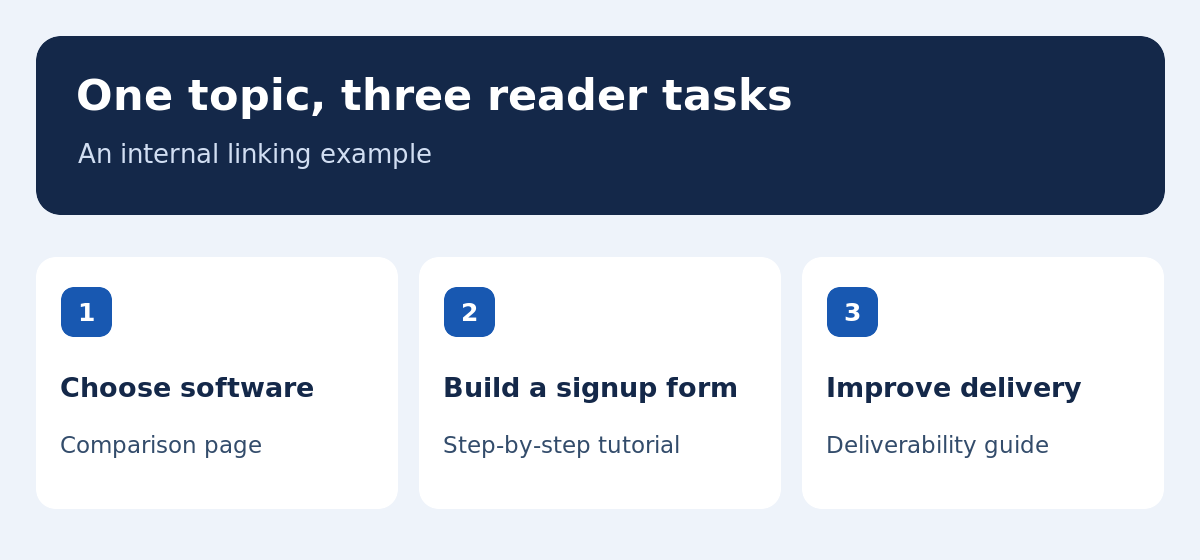
Semantic SEO means organizing a page around the task that brings a reader to search and the concepts they need to complete it. A practical workflow starts with search intent, turns those observations into a content brief, and connects related pages with internal links. Consider a site that helps small stores launch email newsletters. One reader wants to choose software, another needs to add a signup form, and a third is troubleshooting missing emails. They may all use the word “newsletter,” but each needs a different answer. This guide uses that example to show how to assign a job to each page, decide which details belong on it, and measure whether visitors are finding the right answer.
Identify the search intent in the market you serve
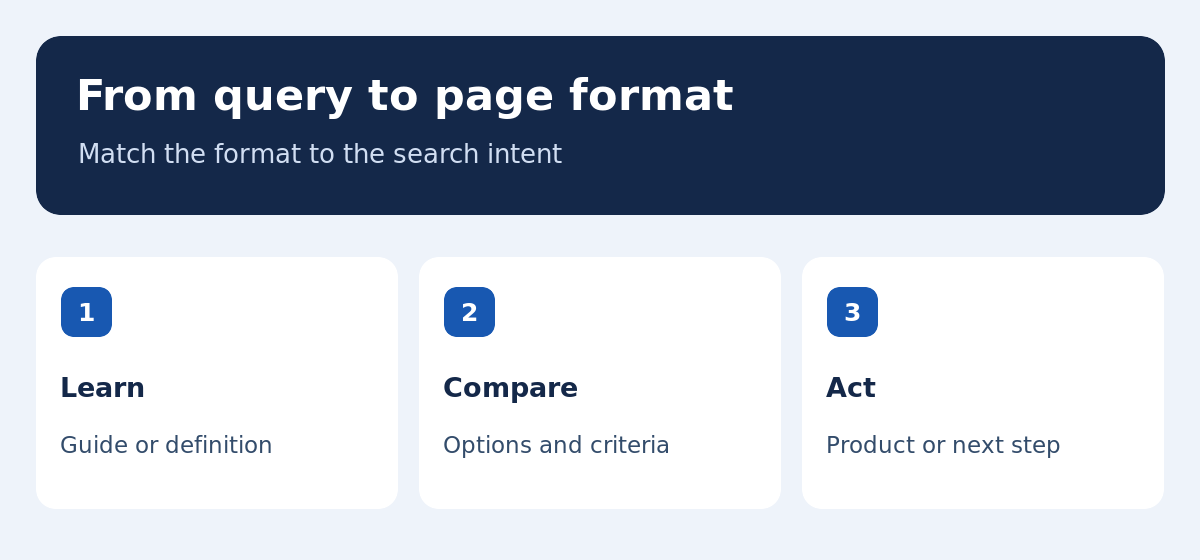
Review the search results for your main query and a few specific variants in the target country and language. Note the dominant formats, such as a definition, a software comparison, a tutorial or a product page. Open the relevant results and check what the reader can do after reading them. A guide that helps someone install a form serves a different purpose from a guide comparing software that supports a given store platform. When several formats appear, record which task you can answer convincingly and why. Save the date and location of the review so you can reproduce it later. If you publish in both English and French, repeat the exercise for each language. Direct translations may miss the terms a local audience actually uses.
Write a content brief the editor can test
A content brief should specify the intended reader, the question and the evidence needed to answer it. For example, a store owner with a small email list wants to send a first campaign without losing contact preferences. They need to compare integrations, the price at the next contact tier and export options. The brief can ask the writer to describe what happens when a new subscriber signs up, completes a purchase or unsubscribes. Mark which claims require a vendor source and record when you checked changeable pricing and limits. Define the boundaries as well. A detailed guide to domain authentication can sit on another page if you link to it where the reader needs it. This gives the editor a concrete way to check that the draft answers the brief.
Choose related terms that clarify the answer
A page’s semantic coverage comes from the concepts it explains. In the newsletter comparison, terms such as active contacts, consent, store integration, segments, opt-out and CSV export belong where they help the reader evaluate a tool. Show what a segment does with a worked example, such as separating readers who signed up for product updates from those who requested a tutorial. Explain which subscriber fields must remain intact during a migration. Use synonyms where a reader might genuinely encounter them, and define terms that are easily confused. During editing, check that every section adds a choice, test, example or explanation. A paragraph that repeats the query without advancing the task can be trimmed. The resulting copy is easier to scan and gives people more ways to understand the same subject.
Put the decision near the top of the page
Start with the short answer and the criteria that matter most. For the software comparison, explain who needs a store integration and how the count of active contacts affects cost. Then show how to test the options with a sample signup and purchase. Use descriptive headings so someone can jump to the section they need. For a tutorial, organize the sections as steps with an observable result, such as seeing a welcome message arrive or confirming that an unsubscribed address stays excluded. When you use numbers, state the assumptions. A low entry price may apply only to a short list or one user seat. Show the point where the plan changes and the reader can decide whether that matters for their team.
Build topic clusters around distinct reader tasks
A topic cluster can start with a central email marketing guide that links to a software comparison, a signup form tutorial and a deliverability guide. The comparison can link to the form tutorial at the point where someone wants to test their store integration. The form tutorial can link to deliverability once a subscriber is captured but the email does not arrive. Choose anchor text that describes the destination, such as “test your signup form.” Review incoming links as well. A valuable page can be hard to find if nobody links to it from a relevant hub or article. The intent behind an internal linking strategy is to make the next task easy to reach. A small number of well-placed links can be more useful than links added to every occurrence of a keyword.
Check whether two pages are serving the same query
Keep a simple inventory with an intended query, page URL, format and reader task. Two articles can address the same broad theme while serving different purposes. A comparison of newsletter tools can coexist with a detailed Mautic review if the first helps people compare options and the second explains the effort involved in self-hosting. Two near-identical comparisons for beginners deserve a closer look. In Search Console, filter by a query and inspect the pages receiving impressions. Alternating URLs can suggest content cannibalization when both results answer the same question in the same market and time period. Check what each page offers and where internal links point before consolidating anything. If both pages meet different needs, clarify their titles, introductions and links so visitors can tell which to use.
Use images to explain relationships and examples
Place a diagram near the text it explains. A topic map can show how one hub connects a comparison, a setup tutorial and a troubleshooting guide. A screenshot can show which report control to select, provided it reflects the current interface and private information is removed. Give each image a caption that tells the reader what to look for. Write alternative text around the relevant information, and keep critical instructions available in the article text. Check the image at a phone viewport so labels do not become too small. If a video contains instructions, offer a summary or transcript so visitors can find the relevant step without watching the full recording. Avoid using decorative images to illustrate concepts that would be clearer in a chart, diagram or example.
Measure outcomes with comparable Search Console data
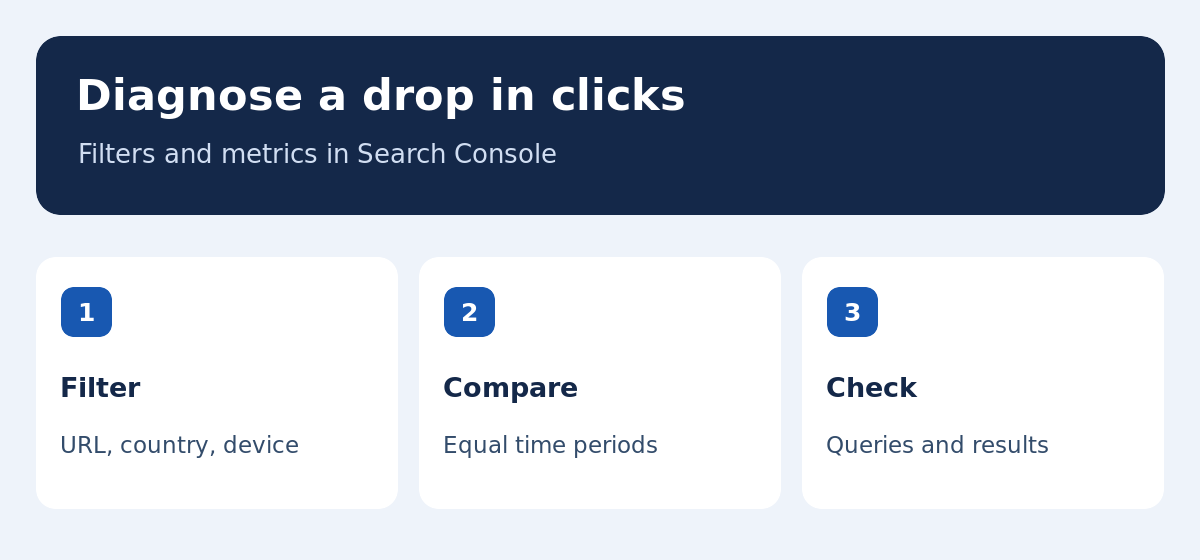
Record when you publish or revise the page. In Google Search Console, filter by page URL, country and search type. Compare equal periods and account for seasonality where you can. Look at impressions, clicks and the queries that contributed to each. A higher impression count can include new terms that are adjacent to the page’s purpose and have a lower click rate. If the search terms central to the brief receive fewer clicks, check whether the title still reflects the task and whether the results now offer a different format. Review Google’s search traffic drop guidance when you need to distinguish a change in search demand from a loss of visibility.
Work through a sample diagnosis
Suppose the comparison moves from 800 to 1,200 impressions and from 40 to 42 clicks across comparable periods. Its overall click-through rate falls from 5 percent to 3.5 percent. Before changing the title, check whether the extra impressions came from comparison searches or from readers asking about deliverability. If comparison terms still perform consistently, leave the title in place and make the link to the deliverability article easier to find. If those terms also lose clicks, inspect whether competing results now show the plan criteria or costs visitors expect. Record one change, verify it on the public page and review the same query segment when enough new data is available. The figures are illustrative and show how an aggregate rate can hide different patterns.
Decide when to revise an existing URL
Keep the URL when its purpose still matches the query and the information can be brought up to date. Refresh examples, verify product claims, and make the answer easier to find. Give a new page its own URL if you can describe a distinct task and a useful answer. For example, a detailed rank tracking tutorial can help someone set up measurement without repeating everything in the semantic SEO guide. Before consolidating pages, check the current internal links and the relevant search queries. If an old URL is retired, decide where readers should land and update the internal links. Check the result after publication so visitors can still follow the paths the site already provides.
Use this checklist before publishing
Read the content brief alongside the draft. Check whether a visitor can identify the main answer, understand the criteria and take a clear next step. Verify claims, test page links and look at the illustrations on mobile. For two language versions, compare the terminology, indexing settings and the translation links. After publication, confirm that the page appears in a relevant directory or sitemap and is eligible for indexing. Set a date to review the query data, and note which evidence would justify changing the page. Continue with our keyword research tools guide and SEO rank tracking guide to set up measurement.
Report the change so another editor can repeat it
Save a short note with the previous title, the revised section, the reason for the change and the Search Console filters you used. For example, record that a shorter introduction was meant to answer a comparison query more directly, and specify the dates and country for the baseline. If a teammate checks the page later, they can see what was tested and what would count as an improvement. This matters on bilingual sites because a change to the English brief may have no equivalent in French search results. Keep a separate note for each locale.